

No cheating. No copying. With evidence.
An add-on service that brings AI proctoring into your platform: identity verification, detection of forbidden objects, camera, audio and screen recording, and a log of every incident to review afterwards.
Institutions that trust Virtud
Everything you need for an exam you can trust
Each layer of proctoring covers a common way of cheating on an online exam.
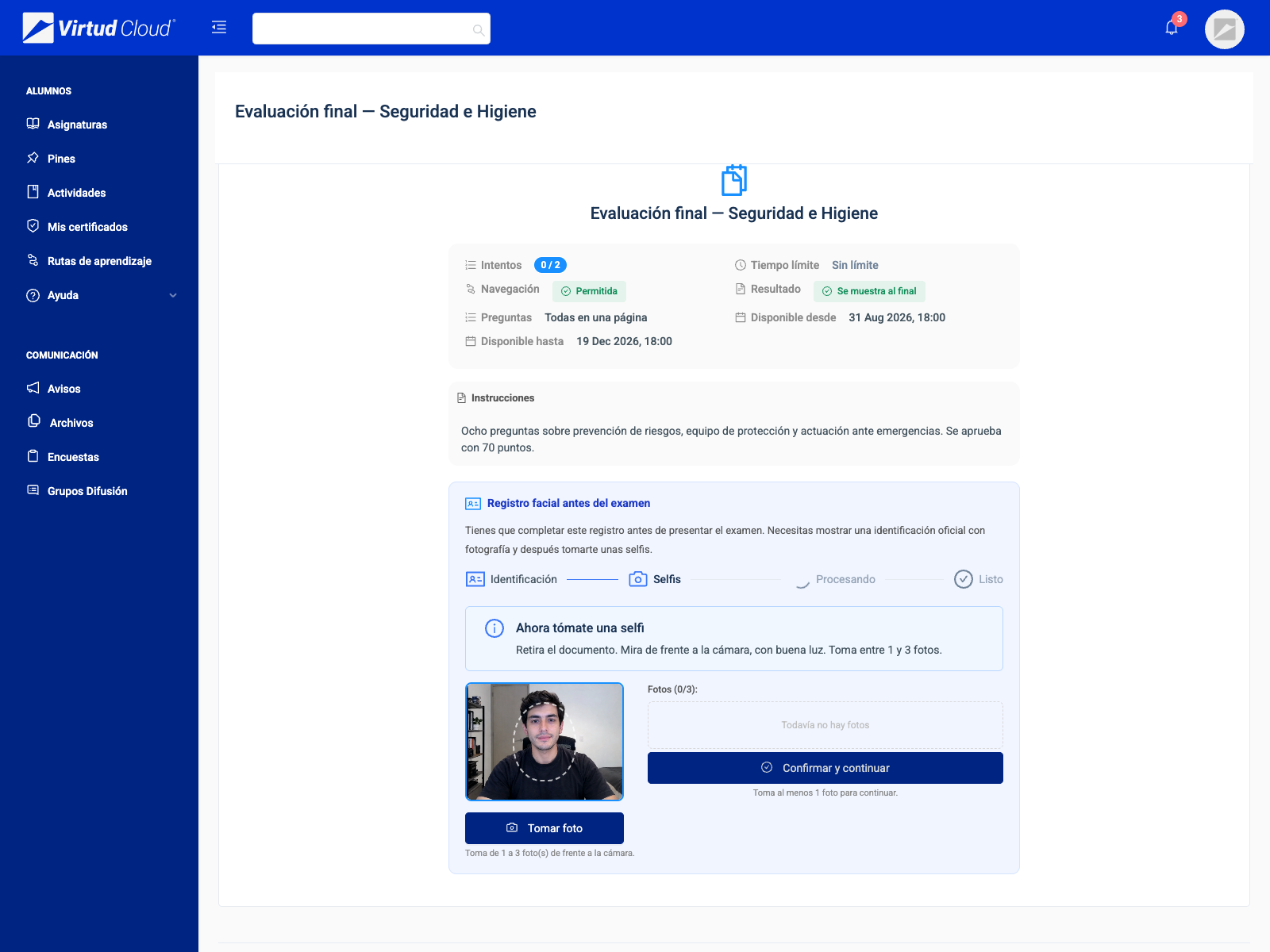
- Identity verification
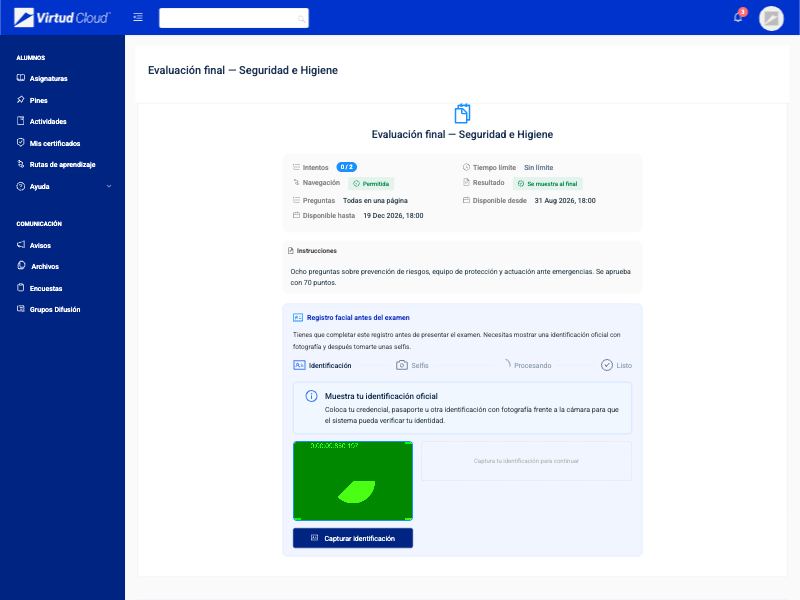
- Before the exam, the student records their face and an ID. The teacher approves the enrollment and the AI raises a flag if the face does not match.
- Missing face or several people
- The AI raises a flag if the student leaves the frame or if another person appears in front of the camera.
- Forbidden objects
- Phone, calculator, books, headphones, and whatever the teacher adds to the list for each exam.
- Camera and audio recording
- Camera and microphone are recorded during the exam in segments the teacher can play back.
- Screenshots
- Periodic screenshots of the student screen are taken to review what they had open.
- Shortcuts blocked
- Copy, paste and print are blocked, and every attempt is logged.
- Tab switching
- It is logged when the student leaves the exam or opens the browser developer tools.
- Notices to the student
- If the AI detects something, the student sees the notice during the exam and can correct it in time.
A constant review of every session
During the exam, camera photos are analyzed with computer vision: the face is compared against the student enrollment, people are counted and the objects the teacher marked as forbidden are looked for.
- Face enrollment with an ID, approved by the teacher
- Flag when the face does not match the enrollment
- Flag for a missing face or several people
- A forbidden-object list tailored to each exam
Everything is recorded for later review
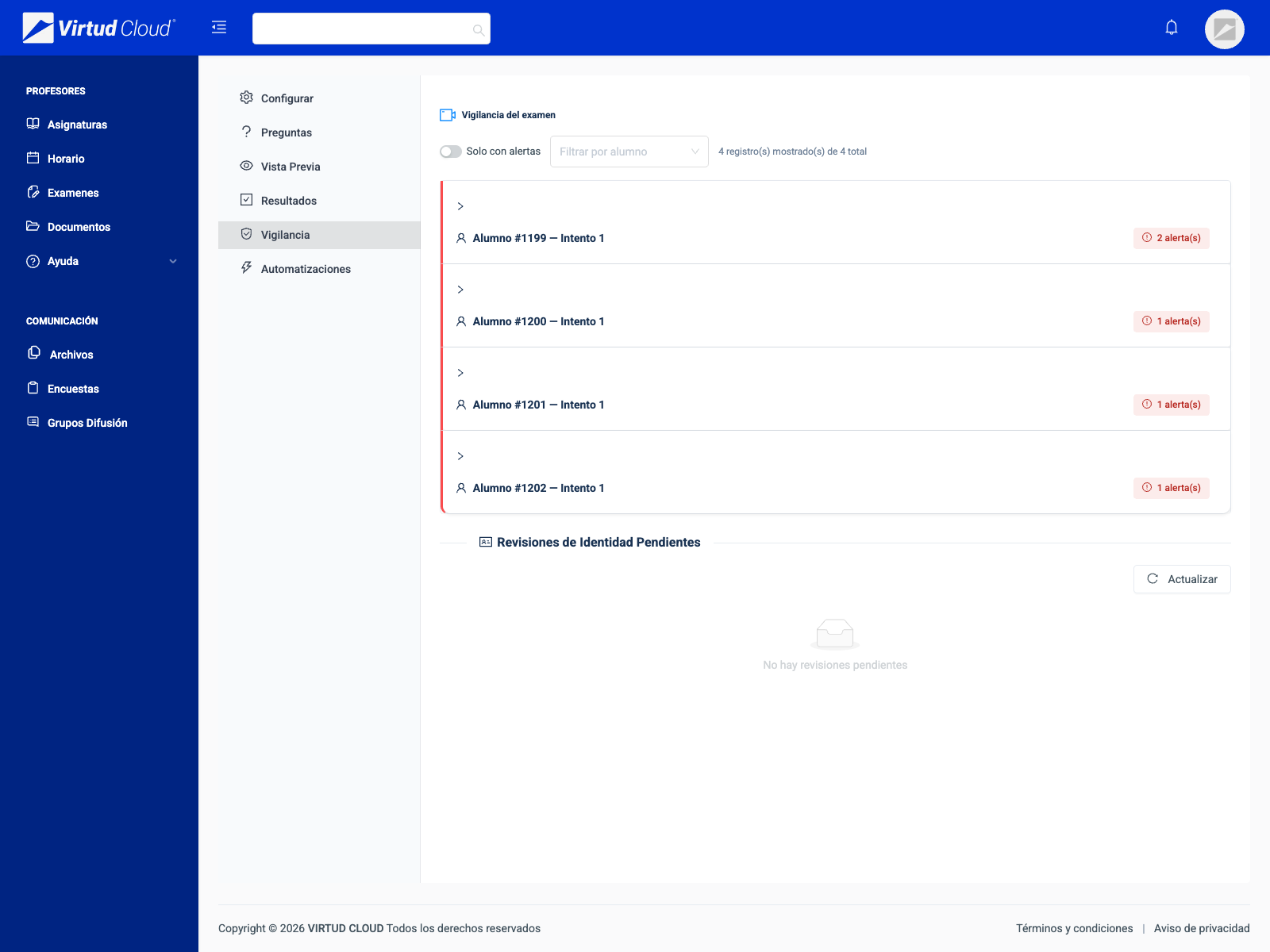
Each proctored exam keeps the photos, the screenshots, the video and audio segments, and a timeline with the incidents of every student.
- Camera photos and screenshots
- Video and audio in one-minute segments
- Incident timeline per student
- Log of blocked shortcuts and tab switches
The teacher decides what to proctor in each exam
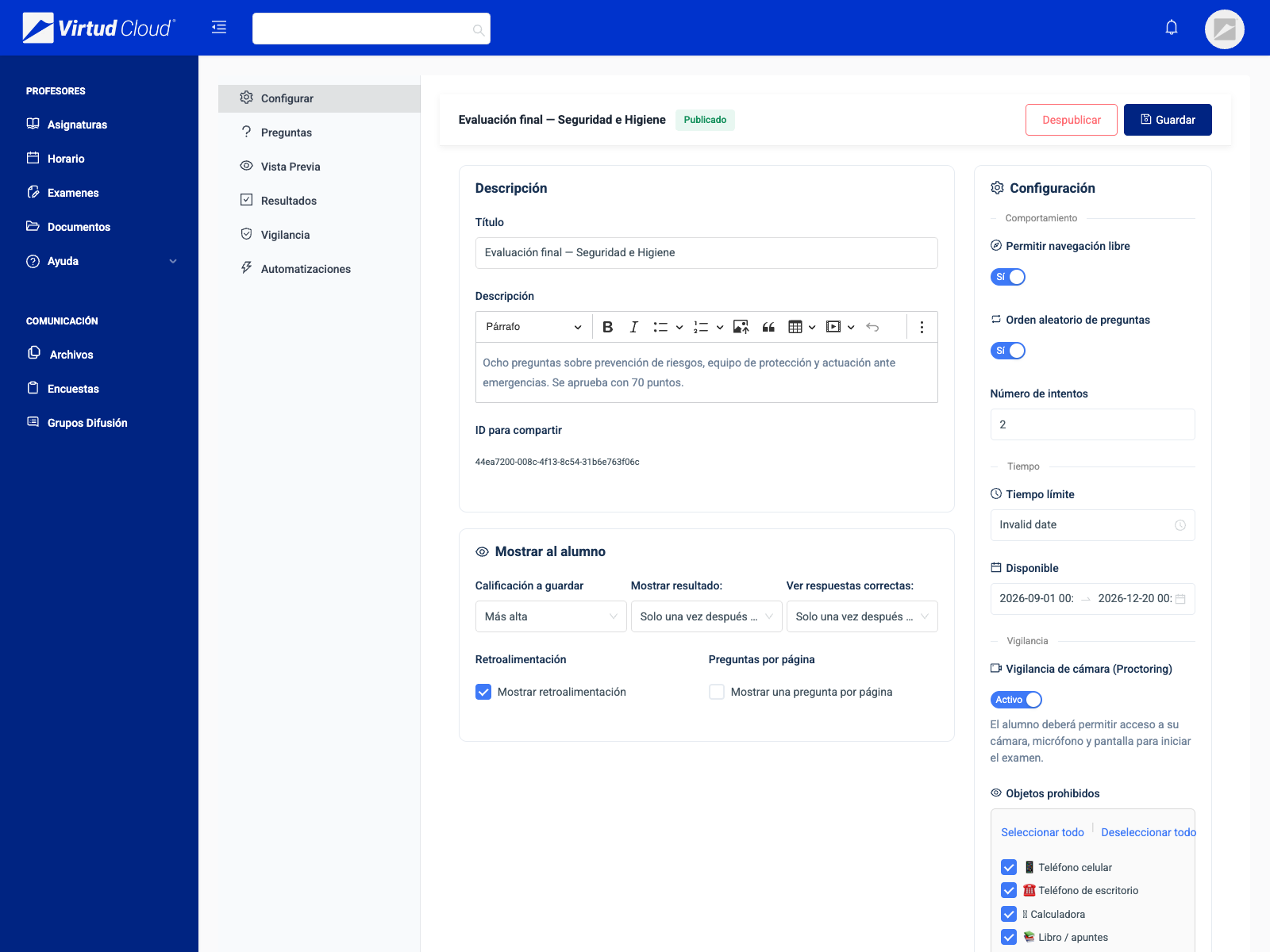
With the service contracted, proctoring is turned on per exam, along with the time limit, the attempts and question shuffling. Before starting, the student grants camera, microphone and screen permission.
- Proctoring switched on per exam
- Forbidden objects to choose from
- Time limit, attempts and shuffled questions
- Runs in the browser, with no software to install
Which situations does proctoring cover?
What artificial intelligence detects, what is blocked and what is logged for review.
| Situation | How it is covered | Result |
|---|---|---|
| Phone or forbidden object in sight | Computer vision over the camera photos | Detected |
| Another person in front of the camera | Face count | Detected |
| Someone else takes the exam | Comparison against the face enrollment | Detected |
| The student leaves the frame | Face detection | Detected |
| Switching tab or application | Logged when the exam loses focus | Logged |
| Developer tools open | Detected in the browser | Logged |
| Copy, paste or print | Keyboard shortcuts blocked | Blocked |
| Screenshot key | The attempt is logged | Logged |
Ready to run exams you can trust the results of?
Proctoring is contracted as an add-on service. Book a demo and we will show it live, with your own team and answering your questions.